
 Support Ukraine’s Army
 Youtube
 Facebook
iOS 26 lets you control iPhone camera with AirPods
Apple’s upcoming iOS 26 update introduces a new Camera Remote feature that allows users of AirPods 4 and AirPods Pro 2 to control iPhone photo and video capture using gestures on the AirPods stems. This update essentially transforms the wireless earbuds into a hands-free photography tool.
This was reported by MacRumors.
Apple turns AirPods into a remote control for iPhone photos and videos
The Camera Remote feature is ideal for group photos or situations where holding the iPhone might be inconvenient. Similar to the Apple Watch Camera Remote, it allows users to position their iPhone, step into the frame, and trigger a photo or video with a simple tap or press on the AirPods.
How to Access Camera Remote
To use the feature, you first need to install the iOS 26 or iPadOS 26 beta on your device. After updating, AirPods firmware must also be updated through the beta program:
- Connect your AirPods to your iPhone or iPad.
- Go to Settings → [Your Name]’s AirPods → AirPods Beta Updates.
- Toggle the beta updates switch on.
- Screenshot on iPad showing the AirPods settings menu with the AirPods Beta Updates option. Photo: MacRumors.
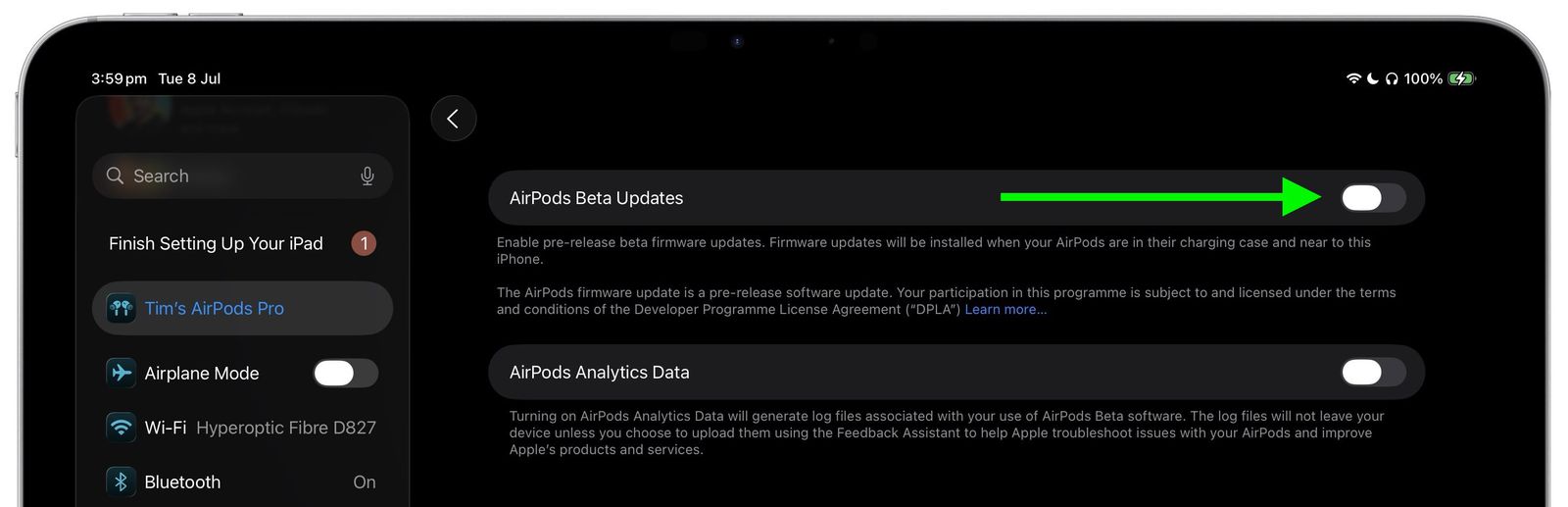 Screenshot on iPad showing the option to enable AirPods Beta Updates in the settings menu. Photo: MacRumors.
Once the firmware is installed (automatically when AirPods are nearby and in the charging case), the Camera Remote can be enabled:
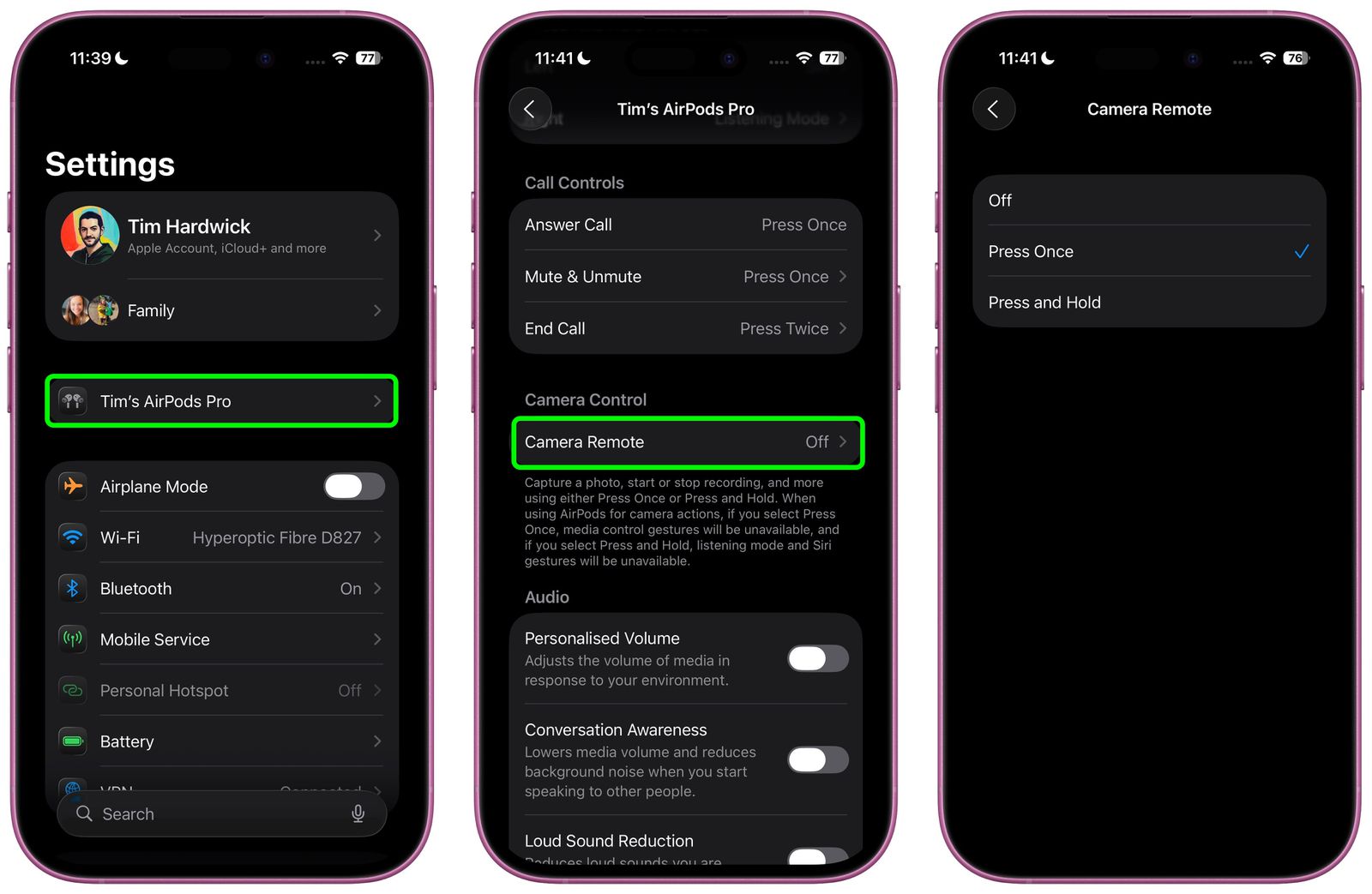
- Open Settings and select your AirPods.
- Scroll to "Camera Control" and choose "Camera Remote."
- Pick your preferred gesture: either a single tap ("Press Once") or a press-and-hold action.
Using Camera Remote
With the feature active, opening the Camera app allows photos or videos to be triggered remotely. A tap on the AirPods stem starts a three-second countdown, then captures a burst of 10 photos, giving multiple options for the perfect shot. For video, the same gesture begins and ends recording. The feature works anywhere within Bluetooth range, enabling creative and wide-angle shots without handling the device.
Additional AirPods Enhancements
iOS 26 also introduces improvements for AirPods, including automatic audio pause when falling asleep and enhanced call quality. The full public release of iOS 26 is expected around mid-September.
Read more:
iOS 26 brings the most powerful Photos app yet