
 Support Ukraine’s Army
 Youtube
 Facebook
Google Photos adds smart AI tools — see what's new
_ZbSlwiH_sHx1Uq3.png)
Google is launching free generative tools in Google Photos that let you turn photos into stylized images and short video clips. However, the capabilities are intentionally limited and are currently only available in the United States.
Forbes writes about it.
What features have appeared in Google Photos?
Google Photos is moving from being an "archive" to a space for creativity: a major update introduces tools that animate static photos and turn them into "artistic" variations in a few taps. All the new features are collected in the new Create tab (an icon at the bottom of the screen on Android and iOS), which separates creative capabilities from the library.
The Photo to Video function turns any photo from the library into a short video clip in one action. The user is offered two options: a vaguely outlined "Subtle movement" or an almost random "I'm feeling lucky". Generation takes about a minute, the result can be regenerated and evaluated using the "like/dislike" icons.
The tool is more focused on entertainment than broad creativity: it's based on the older Veo 2 model, with minimal control over what's happening in the frame and no audio support — unlike the more powerful Veo 3 in Gemini for paid Pro and Ultra subscribers.
Launched in May, the Remix feature lets you select a photo and transform it into one of a number of pre-made styles, from cartoonish to pencil sketch to "painting." Regeneration and thumb feedback are also available.
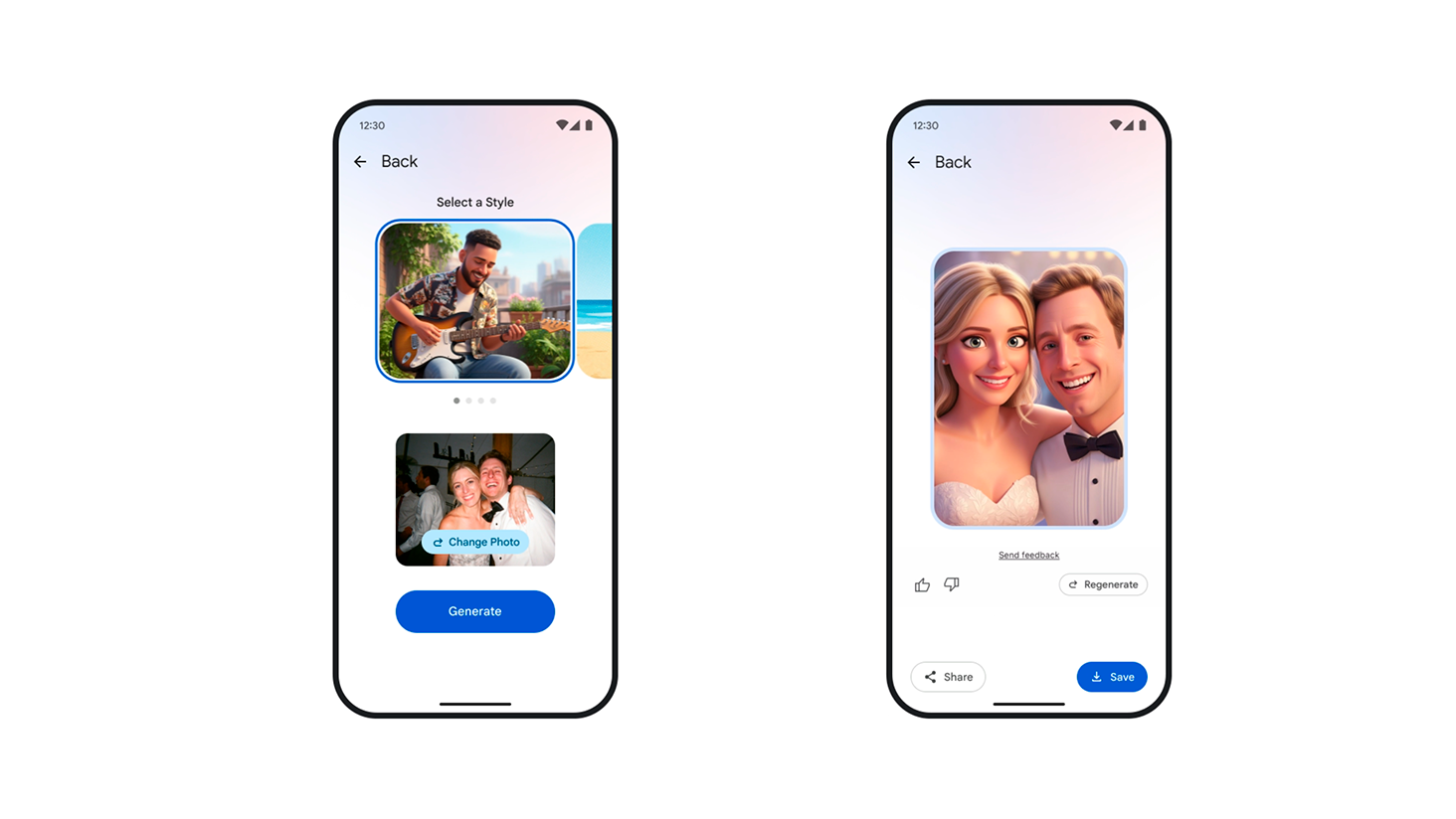
Remix is designed to easily and safely "animate" moments for social networks — like viral "ghibli-stylizations" or "action-figure" effects. At the same time, the lack of arbitrary text prompts, like in ChatGPT or Midjourney, limits real creativity, so the style library will have to be updated frequently to keep users interested.
Before use, the tools warn about possible "inaccurate or unexpected" results and contain a link to the GenAI prohibited scenarios policy. All generated images and videos are marked with invisible SynthID watermarks, indicating artificial origin.
As a reminder, the translator in your smartphone is a real lifesaver when traveling and in everyday communication. Most often, users choose between Google Translate and Apple Translate: both services offer standard functions, but differ in the depth of integration and additional capabilities.